
1) Overview
Name: Bearing - Create PS Tasks
Type: Subflow
Run As: User
Callable by Client API: No
Scope: ab9315c733fdde106e52eda32d5c7bab
Sys ID: cee5f2e63bb63690494feef764e45a18
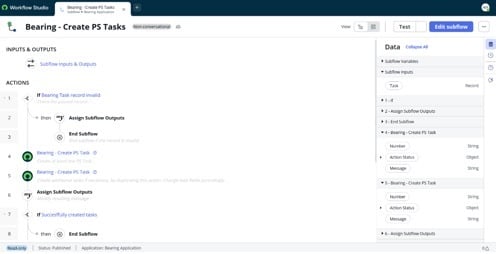
Subflow canvas
2) Purpose / Business Use Case
This subflow is used to populate Physical Security Tasks for:
- Physical Security Incident (PSI);
- Physical Security Operation (PSO);
- Other PS Tasks;
- Security Request
It ensures at least one PS Task is created, and provides a pattern for creating additional tasks as needed.
3) Invocation / Where It’s Used
This is a subflow (not a triggered flow), meaning it is intended to be called by:
- a parent Flow Designer flow;
- Server script invocation of a snippet;
- other orchestration (Playbook, etc.).
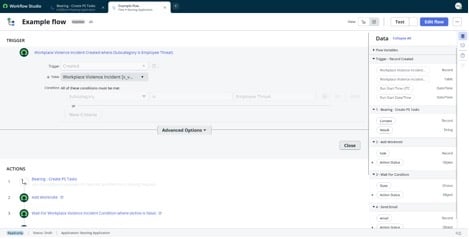
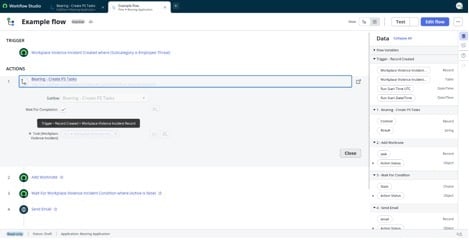
Example of a flow that calls the subflow
4) Inputs and Outputs
Inputs
|
Input |
Type |
Mandatory |
Description |
Example |
|
Task (task) |
Reference (task) |
Yes |
Task-derived record to create PS Tasks for |
PSI0001234 |
Outputs
|
Output |
Type |
Mandatory |
Description |
Example |
|
Result (result) |
string |
No |
Result message that can be used in a parent flow. |
Passed record data is invalid. |
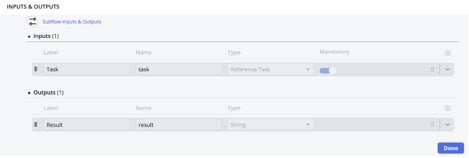
Inputs and outputs of the subflow
5) Flow Logic (High-Level)
After checking the validity of an input, the subflow continues to two sequential action steps, both using the same custom action:
Action: Bearing - Create PS Task (Action Sys ID: 601587ea3b7a3690494feef764e45abb)
- Step Order 4 — Create at least one PS Task
- Expected behavior: Always creates the minimum required PS task for the provided PSI / Security Request context.
- Expected behavior: Always creates the minimum required PS task for the provided PSI / Security Request context.
- Step Order 5 — Optional: Create additional tasks
- Create additional tasks if necessary, by duplicating this action. Change task fields accordingly.
- Expected behavior: Provides a “template step” for additional tasks. This step may be configured to run conditionally or left as a pattern for extension.
- Create additional tasks if necessary, by duplicating this action. Change task fields accordingly.
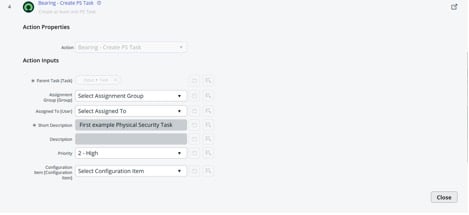
Custom action that creates a PS Task with defined values
6) Error Handling & Outcomes
- Failure behavior: Fail
- Error message surfaced to caller: Error message is assigned to ‘Result’ output
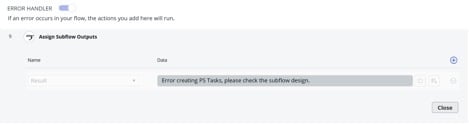
Error handling
7) Security & Access Considerations
- Run As = user: tasks will be created with the permissions of the caller. Confirm callers have ‘create’ rights on the PS Task table and ‘write’ rights on required fields.
- If tasks must always be created regardless of caller permissions, consider whether the subflow should run as:
- a dedicated integration/service account, or
- a system context pattern (only if appropriate and governed).
- Required roles: x_vres_app.physical_security_agent
8) Configuration / Maintenance Notes
- Define high-level conditions in a parent flow
- Copy subflow to modify where necessary
- To add new “standard” PS Tasks:
- Duplicate the Bearing - Create PS Task step
- Adjust field mappings
- Add conditions if tasks are scenario-specific
- Subflow designed as an extensible pattern using duplicated action steps
- Change result message wording where necessary
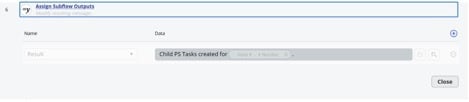
Output variable ‘Result’
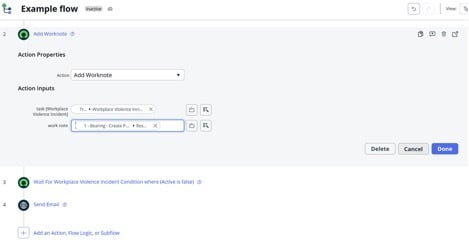
Output data pill used in a parent flow