Import Jobs enable admin users to import data from outside systems if they are connected to Bearing through the Integrations page. These imports can include but are not limited to: Access Levels, Card Holders, Card Holder Access Levels, Contacts, and Assets. To access the Bearing Import Jobs, open your favorites, and in the Bearing Application, scroll down to “Integration” and select “Import Jobs”. This page will allow you to manually import various jobs from integrations within the application.
Manually Run a New Import Job
In the Import Job screen, select the “New” button on the top right of the screen. In the “Connection” field, select the integration you would like to import. Then select the "Type” drop-down field, select the type of import job you would like to run, and hit “Submit” in the top right corner. Depending on the size of the import you are running, it may take a few minutes to complete.

Scheduling an Import Job
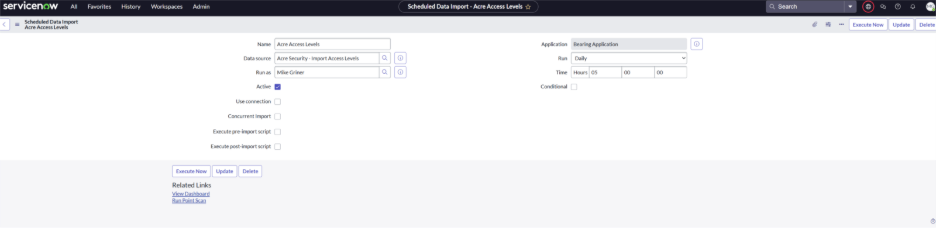
To schedule a recurring import job, follow the below steps:
- Select All > Administration > Scheduled Imports
- Select “New” in the top right corner.
- Create a name for the Scheduled Import Job
- In “Data Source” select the type of import job you would like to schedule
- In the “Run” field, select the frequency in which you would like to perform the import job.
- Select what time you would like the import to begin.
- Hit “Submit” in the top right corner.