Security Alerts
Security Alerts are generated by various sources configured through the Configure Alert Sources functionality of the Configurations page.
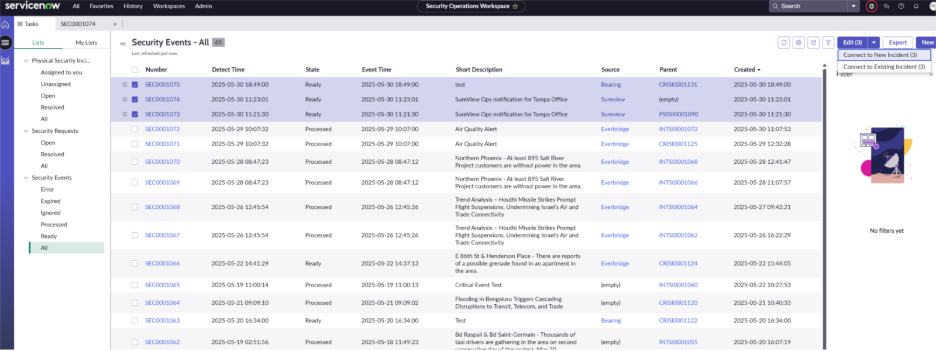
Alerts to Incidents
Bearing allows you to generate Physical Security Incidents from Security Alerts. To do so, open up an alert, and in the top right corner, select “Connect to New Incident.” The Activity log will now display the incident this alert is connected to. To connect multiple alerts to a new or existing incident, in the Security Alerts list, select the check box next to the incident you would like to select, click the drop down next to “Edit” in the top right corner, and select either “Connect to New Incident” or “Connect to Existing Incident”