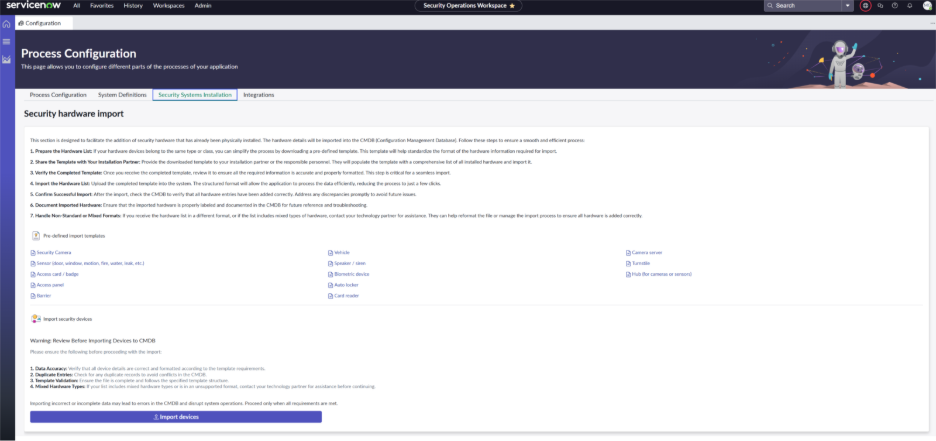
This section is designed to facilitate the addition of security hardware that has already been physically installed. The hardware details will be imported into the CMDB (Configuration Management Database). Follow these steps to ensure a smooth and efficient process:
- Prepare the Hardware List: If your hardware devices belong to the same type or class, you can simplify the process by downloading the pre-defined template associated with the device class. This template will help standardize the format of the hardware information required for import.
- Share the Template with Your Installation Partner: Provide the downloaded template to your installation partner or the personnel responsible. They will populate the template with a comprehensive list of all installed hardware and import it.
- Verify the Completed Template: Once you receive the completed template, review it to ensure all the required information is accurate and properly formatted. This step is critical for seamless import.
- Import the Hardware List: Upload the completed template into the system. The structured format will allow the application to process the data efficiently, reducing the process to just a few clicks.
- Confirm Successful Import: After the import, check the CMDB to verify that all hardware entries have been added correctly. Address any discrepancies promptly to avoid future issues.
- Document Imported Hardware: Ensure that the imported hardware is properly labeled and documented in the CMDB for future reference and troubleshooting.
- Handle Non-Standard or Mixed Formats: If you receive the hardware list in a different format, or if the list includes mixed types of hardware, contact your technology partner for assistance. They can help reformat the file or manage the import process to ensure all hardware is added correctly.